
To watch horse racing on YouTube, follow the racecourse or broadcaster to its official channel, confirm the programme date, and keep the racecard nearby. For a replay, identify the track, local date and race number. This guide explains how to use those routes without mistaking an old upload for live coverage.
Start with an official channel, not the first video result
The useful question is not simply whether horse racing is on YouTube. It is whether the video in front of you belongs to the racecourse or rights holder, covers the meeting you want, and is showing today's action. A search can place an old broadcast beside a current preview and a fan compilation. All three might feature the same famous racehorse, yet only one may help you watch the next race.
Follow the link from the racecourse or broadcaster
Start at the organiser's website and follow its viewing link. That gives you a stronger trail than a channel name containing “official.” YouTube's impersonation policy explicitly addresses deceptive names and copied branding. The practical lesson for fans is to identify the publisher before relying on the picture: a familiar logo does not establish that a channel is authorised.
For example, Tampa Bay Downs' racing navigation links its live viewing option to YouTube while separating race replays and finish photographs. Follow that route, then bookmark the channel you reach. You can return through the same official trail on the next race day rather than repeating a broad search and guessing which upload is authentic.
A fan channel can still offer worthwhile analysis. Treat it as analysis, however, unless the racecourse identifies it as an authorised viewing destination. Likewise, a familiar commentator appearing in a clip does not tell you who uploaded the clip. Before sharing a link with friends, check the publisher, the event and the date. Those checks are quicker than discovering at post time that everyone has opened a highlights package.
Read the video date before pressing play
Pay attention to the date in the programme title, not just the upload label. A recording uploaded recently can show a race run years earlier. A season playlist can also mix individual replays with complete broadcasts. Search more precisely when the result looks ambiguous: include the track, the local race date and the race name or number. “Saratoga race 8 August 10” gives you a useful identity to check; “horse racing live” gives you very little.
Decide what you need before opening the player. For a full afternoon, look for the dated programme. For one finish, look for that race's replay. For a quick review of a major event, a highlights video may be sufficient, but it may omit the start or an important middle section. Calling all three formats “live racing” hides the distinction that matters most: whether the next action is still to happen.
What NYRA actually puts on YouTube
NYRA's YouTube presence is particularly useful for fans following New York racing. Its televised racing programmes combine live action with discussion and coverage around the races. The official Saratoga Live page identifies FOX networks and free YouTube streaming as viewing routes, while distinguishing the NYRA.com player that requires a NYRA Bets login. Do not assume a sign-in prompt on one route means every route has the same requirement.
An important change for readers following older guides: NYRA's current viewing page says the NYRA Now app was discontinued on July 6, 2026. It points viewers towards the NYRA YouTube channel and FOX coverage instead. That makes advice to download the old app unhelpful. Start with the current organiser page when choosing a device or viewing route, rather than an app recommendation copied from an earlier season.
A programme window is different from a race post time
The television table tells you where the programme is scheduled, while the racecard tells you when a particular race is expected to start. These are separate pieces of information. A show can begin before your target race and move between channels during the afternoon. A race can also run later than its advertised post time. Keep both pages available if you are watching a single feature rather than settling in for the whole broadcast.
For a dated example, the organiser's published October 16, 2026 listing assigns 1–3:30 p.m. Eastern to FS2 and 3:30–6 p.m. to YouTube. That example explains why searching only for “horse racing channel” can miss a viewing change within one afternoon. It is not a standing promise about Friday hours. Check the row for your actual date, then compare its time zone with your local clock and the target race's post time.
If you want to see the paddock before a stakes race, allow more time than the race itself requires. Opening the correct programme after the horses have loaded may secure the finish but lose useful context. Equally, finding presenters discussing the field does not prove the race is about to start. Listen for the track and race being discussed, and compare them with your card rather than treating every segment as the next race.
Use our NYRA YouTube page as a route to viewing information and the TV schedule to compare published coverage. Neither a programme name nor a famous racecourse guarantees that every race at that course will appear in the same stream. The organiser's current listing is the more useful guide.
Find the right replay with three pieces of information
Write down the track, the local race date and the race number before searching for a replay. These three details are more dependable than a remembered colour of silks or a horse's nickname. Race numbers restart with each card: race six at one track is unrelated to race six at another. A feature's name may also recur each year, so a search for that name alone can deliver a celebrated previous running rather than the edition you intended.
Use the date assigned to the race by its host track. If you watched an American afternoon card after midnight in another country, your phone's date may be a day later. In that situation, start from the official racecard rather than guessing which calendar day the archive uses. You do not need to memorise every time-zone conversion; you do need to preserve the same track-and-date identity from the racecard to the replay.
On an organiser's archive, change the calendar to the race day first. Saratoga's replay page presents previous race-day choices and states that replays become available after results are official. An empty player on the current date therefore does not prove that an older race has disappeared. It may simply mean the calendar is showing a day with no available replay, or that the race you want has not reached the archive yet.
If the YouTube search is inconclusive, return to the track's archive instead of trying increasingly broad search terms. Del Mar's replay calendar, for example, distinguishes replays from its live-video route and notes that selected races become available during race days. Availability and presentation differ between organisers. A legitimate race may be offered through a track player even when you cannot locate a useful standalone YouTube upload.
Check the first moments of the video against the racecard: the course, race number, runners and distance should make sense together. Suppose you are looking for a turf route but the clip begins with a small field sprinting on dirt. Stop and verify the identity before drawing conclusions about a horse's performance. Do the same if a familiar runner is missing; you may have the wrong year or a highlights sequence assembled from several races.
When sharing the replay, include its identity in the message rather than sending an unexplained link. “Track, local date, race number” lets another fan confirm the same event and find the official chart later. Keep an organiser's archive link alongside a YouTube link when possible. The video is convenient; the race identity is what keeps your discussion attached to the correct performance.
Watch a race twice to understand more than the finish
A replay is most rewarding when you give it a question to answer. The first viewing can tell you who won. A second can help explain where the decisive move developed, which horses had room to build momentum and which runners spent the turn in an awkward position. That does not turn a video into a complete assessment of ability. It does make the next discussion more specific than “the winner looked good.”
First follow the race shape, then follow one horse
On the first pass, watch the leading group and the gaps through the field. Note who is pressing the leader, when the challengers move, and where the field compresses. On the next pass, follow one horse from the start rather than beginning with its late run. A dramatic finish can distract you from the quieter part of the trip that made the finish possible, such as finding a clear path while another contender waited.
Keep your observations modest. “The horse waited behind runners before moving outside” is an observation you can test against the pictures. “It would definitely have won with a clear run” is a counterfactual the video cannot prove. When the camera briefly loses a runner, mark that gap in your understanding rather than inventing a move outside the frame. A useful replay note records what happened and what remains uncertain.
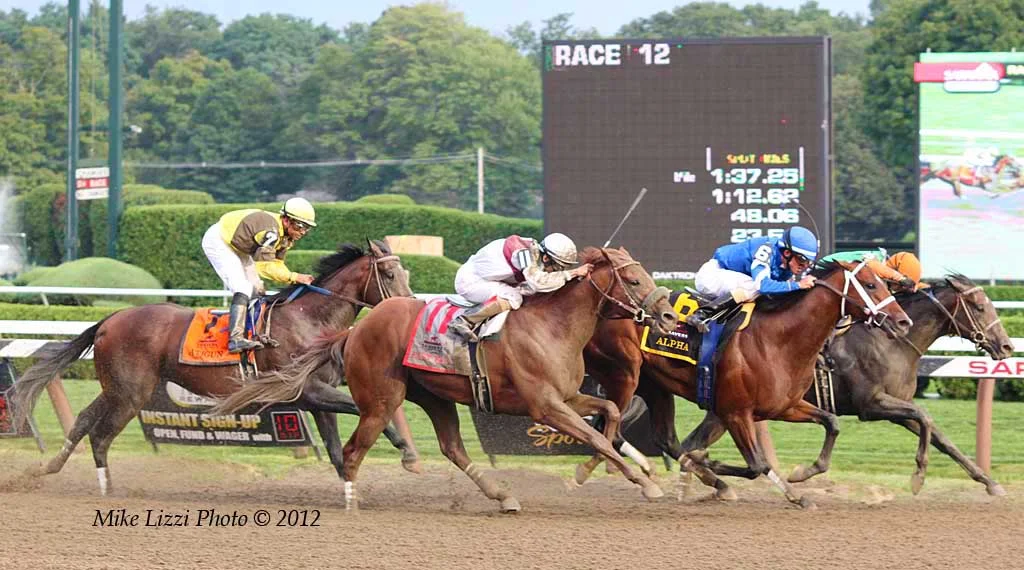
.jpg)

Use the official chart to check what the camera cannot settle
Pair the footage with the chart for the same track, date and race. Equibase's full-chart guide identifies running positions, fractional and split times, race conditions, payouts and footnotes. The fractions describe the leader's timing at the calls; they are not automatically the individual split times of whichever horse you are following. Read the labels before attaching a timing number to a performance.
A close finish or possible interference needs particular care. The television angle can invite a confident opinion without showing the evidence needed to settle it. NYRA's stewards' explanations show how official placings and review differ from the initial order across the line. Consult the published decision when there is an inquiry instead of treating a commentator's first reaction as the verdict.
Save one precise observation with the race identity: a slow start, a move around the turn, or a spell behind horses. Then compare that observation with the chart's account. Agreement gives you a firmer reading; disagreement is a reason to look again. This approach makes a free replay useful for appreciating the sport even if you never place a bet. The aim is to understand a performance, not manufacture certainty about the next one.
When a YouTube stream will not play
A black screen is frustrating, but it does not tell you whether the race has been cancelled. Read the message before changing plans. A stream that has not started, a video restricted in your country, and an interrupted connection require different responses. Keep the official racecard separate from the player so that you can check the sporting schedule without using the video's behaviour as evidence about the meeting.
Tell a rights restriction from a connection problem
YouTube's country and region guidance explains that owners can limit availability for licensing reasons and that some content is blocked to comply with local law. That is different from a weak connection. Reducing picture quality will not change a territorial restriction. Return to the organiser's viewing page and look for the authorised option offered where you are.
| What you see | What to check first | A useful next step |
|---|---|---|
| Country or region unavailable | The organiser's viewing territories | Find its authorised local broadcaster or replay option. |
| Repeated buffering | Connection and picture quality | Try a lower available resolution and consult YouTube's playback help. |
| A programme waiting to begin | The dated broadcast listing | Confirm that the video and programme date match your race day. |
For interrupted pictures, YouTube's video-error advice covers connection checks, app or browser updates and changing video quality. Try a simple correction first rather than switching to an unfamiliar site that promises an exclusive feed. If audio is present but the image is jerky, a lower available quality may be a more useful compromise than repeatedly restarting just as the horses approach the gate.
Also remember that “live” does not mean simultaneous with events at the racecourse. YouTube describes live-stream latency as the delay from capture to what viewers see. Network conditions and the stream's settings affect it. A friend's result message may arrive before the finish reaches your screen. If preserving the suspense matters, close result notifications and live chat until you have watched the race.
Do not use a delayed player as a precise clock for decisions tied to post time. When coverage pauses for an interview, that is an editorial segment, not a guarantee that the next race is several minutes away. Follow the official timetable and on-air information together. If you miss the start while resolving a problem, the better recovery is the authenticated replay after the race rather than an uncertain substitute stream mid-card.
Build a simple race-day viewing routine
Good viewing preparation takes only a few decisions. Choose the meeting and race first, establish the local date, and then choose the appropriate programme or track feed. Reversing that order can leave you watching an entertaining broadcast that never covers the race you came for. Our today's schedule is a starting point for the sporting timetable; use the organiser's viewing information to confirm how to see the action.
If two friends are following the same feature, agree on what they want to watch. One may prefer an afternoon programme with paddock discussion and interviews; the other may only need a particular race's replay after work. Sending both people the same unexplained link creates avoidable confusion. Share the event identity and whether the link is intended for live coverage or later viewing, then everyone knows what to expect.
- Confirm the track, local race date and target race number on the current card.
- Open the viewing link from the organiser, check the programme's date and compare its time zone with your own.
- Before the feature, verify that the correct horses and race are being discussed. Keep an official alternative ready if the organiser lists one.
- Afterwards, find the same race in the archive and compare your reading with the official result or chart.
For a busy afternoon, prioritise rather than trying to monitor every player at once. Pick the races you most want to see and allow the paddock coverage time to breathe. Too many simultaneous videos can make it harder to hear which race is approaching, and notifications can reveal a finish before your chosen picture catches up. A clear plan lets the broadcast add context instead of becoming background noise while you hunt for another stream.
When the viewing route is uncertain, use the free-viewing page for available official options, rather than assuming YouTube must host every card. If the race has already run, move directly to recent results and the host's replay archive. There is little value in waiting on a stream that has finished when the performance you want is already available to review.
YouTube is at its best when you know what you are asking it to do: carry an authenticated programme, show a clearly identified race, or help revisit a performance with enough context to understand it. The stream supplies the pictures. The racecard, official timetable and result supply the identity and authority that make those pictures useful. Keep those pieces together and your viewing becomes more reliable, whether you are following one stakes race or an entire meet.
Join the conversation
Have a question or a race-day tip to share? Keep it friendly and on topic. Comments appear after review.
No comments yet. Start the conversation.
Sign in with Google to leave a comment.